
Value per kilometre
Set the minimum you consider worthwhile.
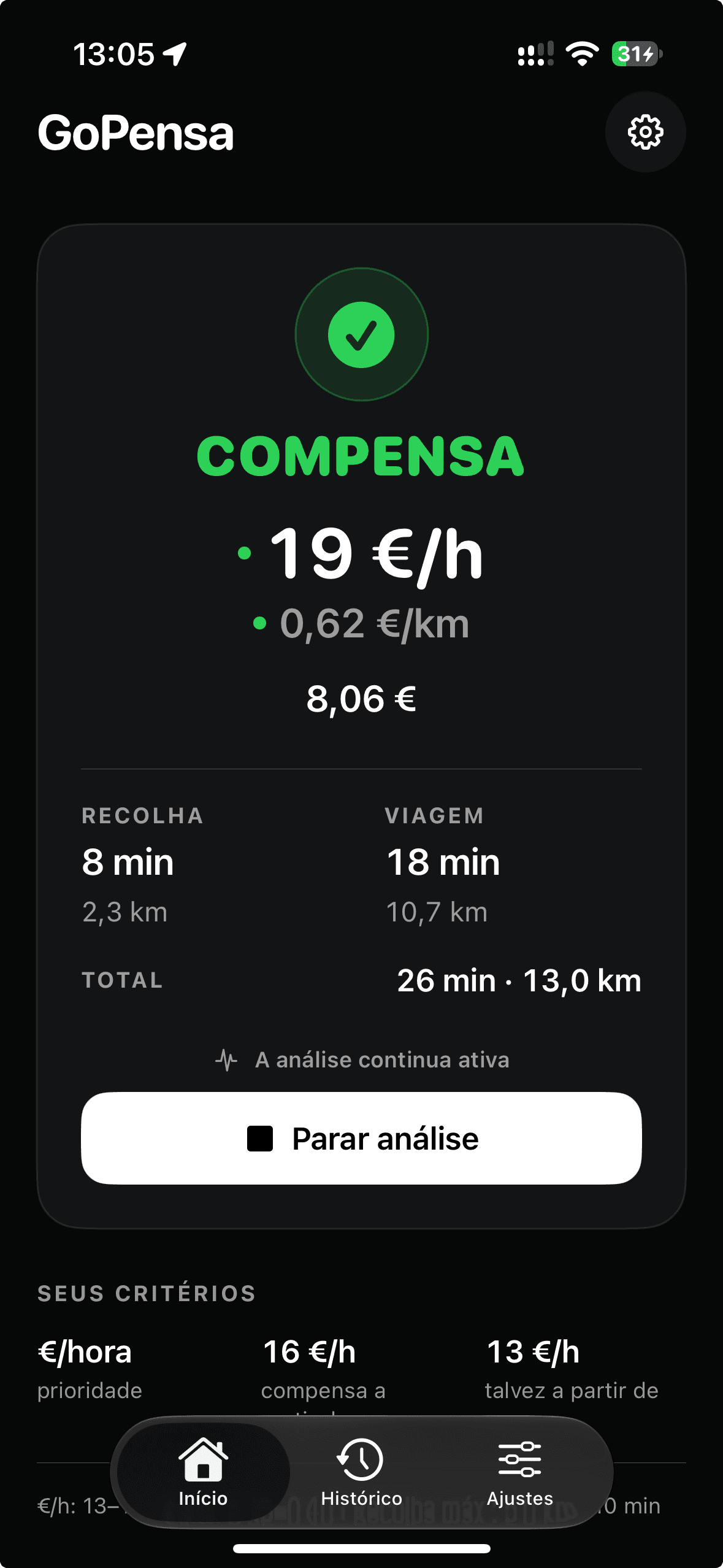
Fare, time and distance, compared with your criteria. Whether to accept the offer is still your decision.
Exclusively for iPhone
First launch in Portugal
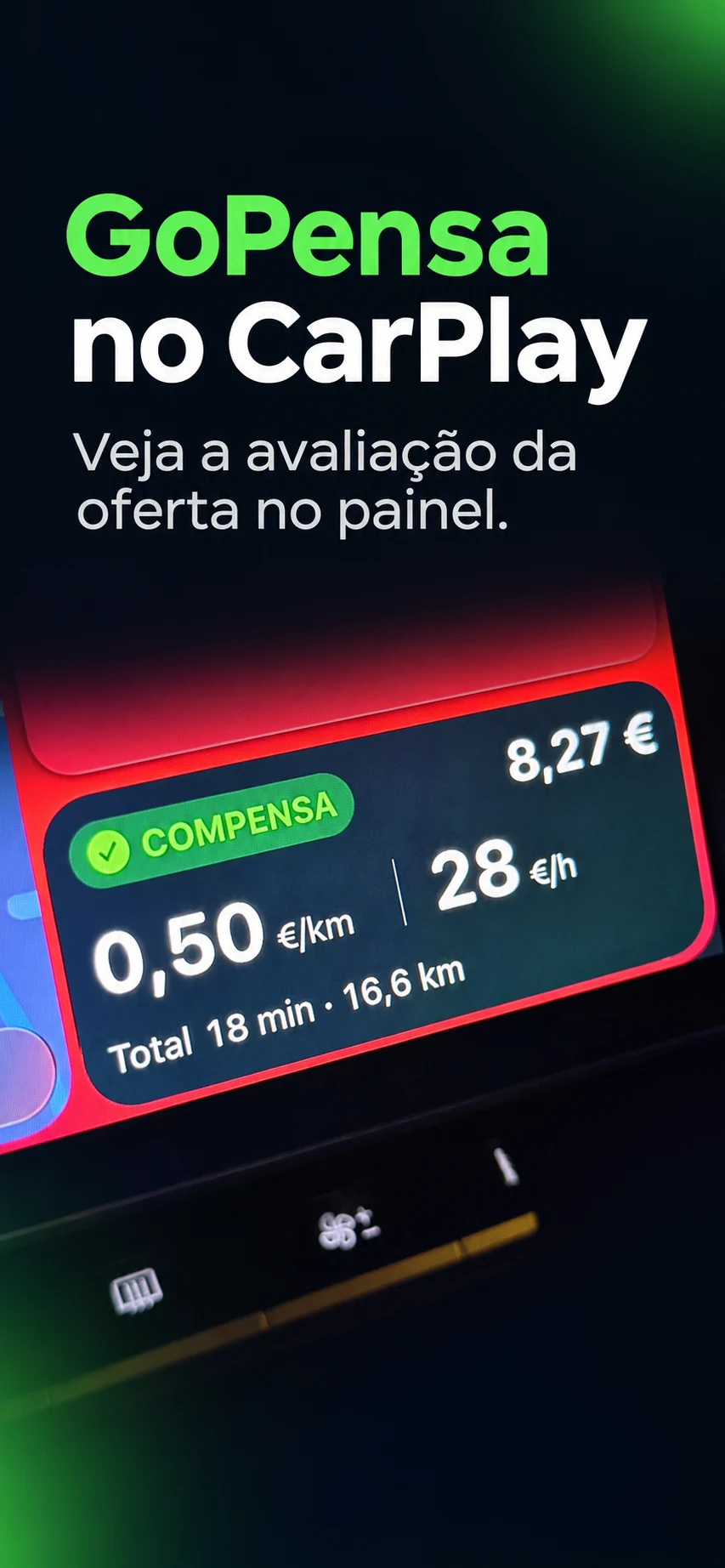
GoPensa for iPhone also shows your offer analysis on the Apple CarPlay Dashboard when connected to a compatible vehicle.
Use the view with the map and cards to follow the analysis. The app remains available on your iPhone; only where the result is displayed changes.
Set up the connection while the vehicle is parked.
Set these values in GoPensa. They guide the analysis of each offer.
Set the minimum you consider worthwhile.
See the offer in light of the total estimated time.
Set how long you are willing to travel to the pickup.
Set the maximum distance that works for you.
The final decision is always yours.
See how the analysis appears over the platform and inside GoPensa. Switch between the WORTH IT and NOT WORTH IT examples.
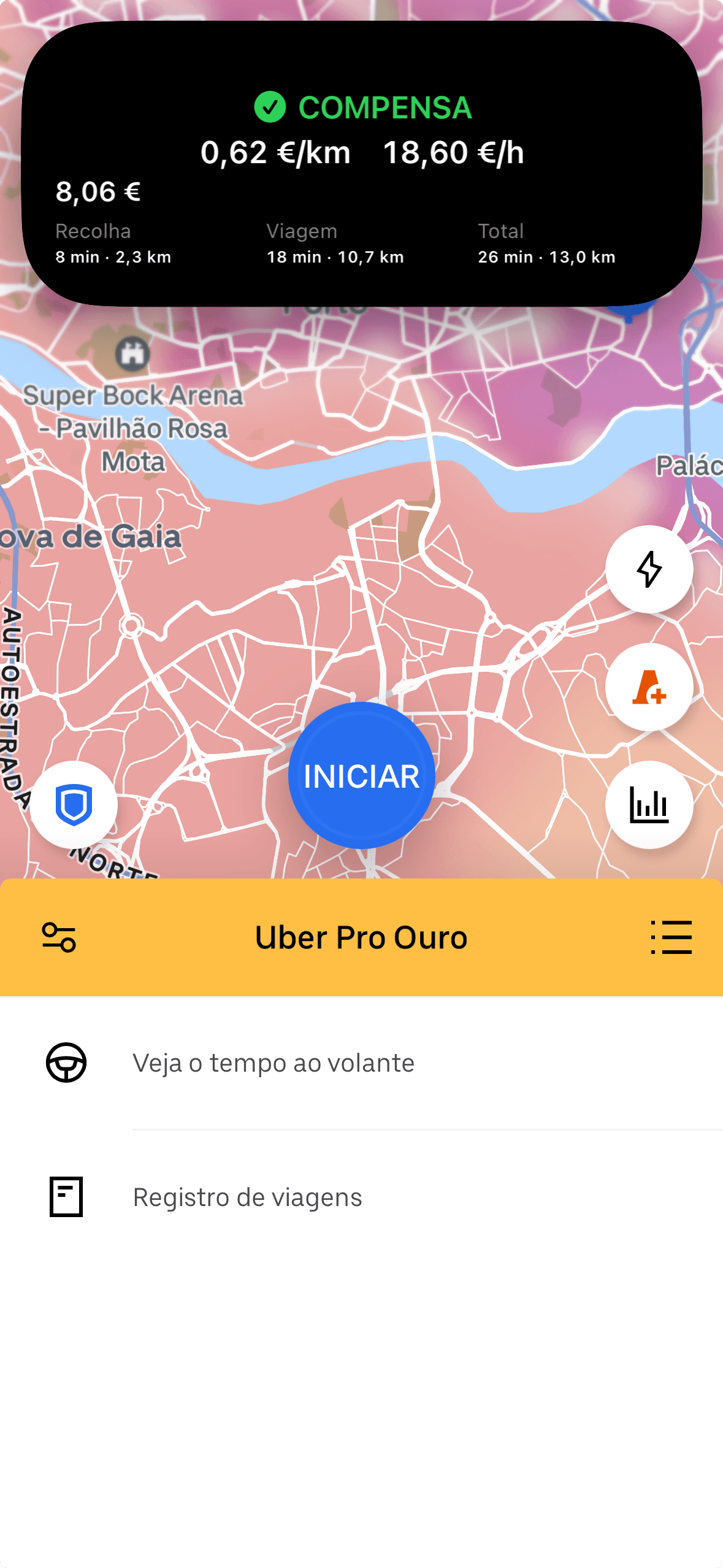
These are different real interface examples. The values shown are not necessarily from the same offer and are not averages or promises of earnings.
GoPensa is independent from mobility platforms. The analysis uses the driver's criteria; the final decision remains theirs.
Read the privacy policy to learn what stays on your device and what is processed by account and support services.
When CarPlay is connected, GoPensa’s analysis moves to the car’s Dashboard. Keep the view with the map and cards open to follow it. The app remains available on your iPhone.
GoPensa is a tool for drivers using mobility platforms. It helps analyse an offer against criteria each driver sets for themselves.
No. GoPensa provides an analysis to help inform your decision. The choice is always yours.
Yes. GoPensa is designed to let you set benchmarks such as value per kilometre or hour, and pickup limits.
No. GoPensa is an independent product and is not affiliated with, associated with, or endorsed by Uber, Bolt, or other platforms.
GoPensa is available for iPhone on the App Store in Portugal.
There is no confirmed release date or Android availability yet. We will share updates when details are confirmed.
Download GoPensa from the App Store in Portugal.